Embroidery digitizing in seconds

Turn any logo into a file your machine can sew.

Upload artwork or type your lettering. InstaStitch picks the stitches, shows you the sew-out needle by needle, and gives you DST, PES, JEF and five more formats in seconds.

  • 3 free downloads every month
  • No card needed
  • Previews are always free

Sews on

  • Brother
  • Janome
  • Bernina
  • Baby Lock
  • Husqvarna Viking
  • Pfaff
  • Singer
  • Tajima
  • Ricoma
  • Barudan
  • Melco
  • SWF
How it works

From artwork to hoop in three steps

No digitizing software, no waiting two days for a quote.

  1. 1

    Add your design

    Upload a PNG or JPG logo, type a name in one of 13 embroidery fonts, or describe a design and let AI draw it.

  2. 2

    Watch it sew

    Pick the size and fabric, then play the stitch-out. Checks flag long stitches, thick spots and hoop fit before you waste a blank.

  3. 3

    Download for your machine

    Pick your machine and get the right file. One download unlocks every format, and edits after that are free.

The engine

Built the way a digitizer thinks

Every shape gets the stitch type a professional would choose, tuned for the fabric you're sewing on.

Lettering that follows the stroke

Satin columns turn with every curve of a script, so names and monograms come out smooth and glossy instead of flat and blocky.

  • 13 fonts chosen for embroidery
  • Up to four lines, any alignment
  • A warning when text is too small to sew
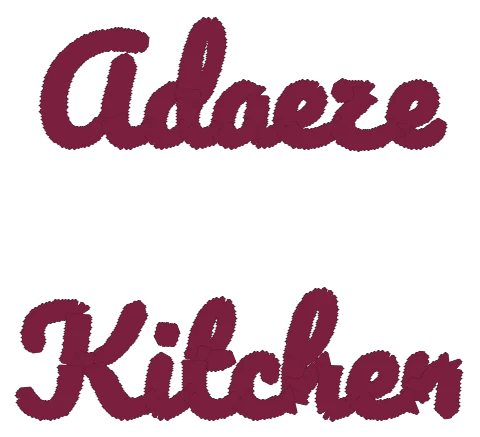
The words Adaeze Kitchen stitched in a satin script

Thread you can actually buy

Every color is matched to the nearest thread in 11 brand charts.

ColorMadeira Polyneon
Gold1624
Green1851
Red1878

Sew-out checks before you press start

The simulator replays every needle drop and checks the file the way an experienced operator would.

  • Pass
    Stitch length
    Longest stitch is 5.2 mm. Under 7 mm keeps loops from snagging.
  • Pass
    Density
    The thickest spot is about 3.3 layers of thread.
  • Check
    Small details
    Letters under 6 mm tall can lose detail.

AI for the messy uploads

A blurry screenshot or a photo of a sign? AI cleanup redraws it as flat artwork, then the engine stitches it. Or describe something new, like “a lion crest with a crown”.

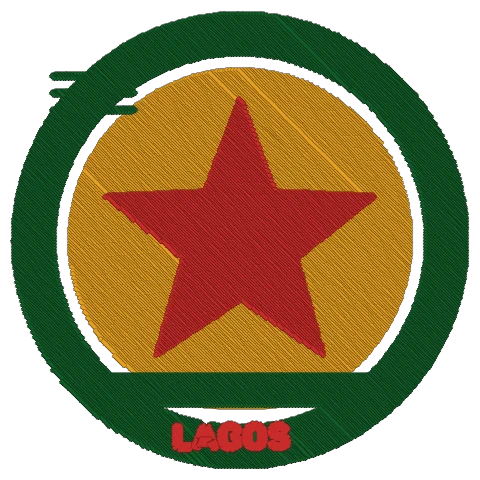
A stitched badge with a red star on a gold circle inside a green ring
Sew-out quality

Files that sew clean the first time

The details a good digitizer handles by hand are built into every file.

1 passper shape

Fills and satin columns are joined by travel stitches hidden under the top stitching, so solid shapes sew without jumps or cuts.

Lockedat every cut

Each piece starts and ends with tiny lock stitches, so threads don't pull loose after a trim.

Small textstays readable

Satin columns sized to each stroke, with periods and dots kept instead of dropped.

8 formatsin every download

DST, PES, JEF, EXP, VP3, XXX, U01 and PEC, plus a production sheet for the machine.

Pricing

Pay per design, not per hour

A digitizer charges $10 to $75 a logo and takes a day or two. Here a design costs one download and takes seconds.

Free

Try it on your own artwork.

$0

Free forever

  • 3 free downloads every month
  • Unlimited stitch-out previews
  • 5 AI cleanups or AI designs a month
  • All 8 machine formats
Start free

Hobby

For home embroiderers.

$5.99/month

15¢ a download

  • 40 design downloads a month
  • Unused downloads roll over while subscribed
  • 30 AI cleanups or AI designs a month
  • Lettering, thread matching, production sheets

Shop

For embroidery shops and production.

$39/month

6.5¢ a download

  • 600 design downloads a month
  • Resell the machine files you make
  • 300 AI cleanups or AI designs a month
  • Everything in Pro
10-download pack, $7

One-time purchase. 10 downloads that never expire, on top of any plan.

Every download includes all 8 machine formats. Re-downloads and edits are free. Cancel any time.

Questions

Questions people ask first

More answers on the FAQ page.

Which embroidery machines does it work with?

Every download includes DST (Tajima, Barudan, Ricoma, SWF and most commercial machines), PES (Brother, Baby Lock, Bernette), JEF (Janome, Elna), EXP (Bernina, Melco), VP3 (Husqvarna Viking, Pfaff), XXX (Singer), U01 (Barudan, Toyota) and PEC.

If your machine reads one of these, it can sew our files. Load the file the same way you load any purchased design: USB stick, Wi-Fi app or your machine's software.

What kind of artwork works best?

Logos, badges, icons, clip art and lettering with a few solid colors. Clean edges and shapes at least 1–2 mm wide at the final size stitch best.

Photos and soft gradients don't translate to thread well. Turn on AI cleanup and we'll redraw them as flat artwork first, which works for many photos of logos, signs and drawings.

How do downloads work?

Previews are free. One download unlocks one design in every machine format, and you can download it again as often as you like. Every account gets 3 free downloads each month. They reset on the 1st and are used first.

Plan downloads are added each billing period and roll over while you stay subscribed. If you cancel, unused plan downloads are kept and become usable again when you resubscribe. Downloads from a 10-download pack never expire.

How close is it to a hand-digitized file?

For logos, badges and lettering it gets you a clean, sewable file in seconds: correct stitch types (satin for borders and lettering, fill for large areas), underlay, pull compensation, trims and color changes, with sew-out checks before you download.

A professional digitizer still wins on complex artwork such as tiny text, photo-realistic portraits and very detailed crests. Watch the stitch-out preview and run a test sew on scrap fabric before a big order.

Can I cancel any time?

Yes. Cancel from the billing page in two clicks. Your plan runs to the end of the period you've paid for, and your designs and downloads stay in your library.

Your next design could be sewing in five minutes.

3 free downloads every month. No card needed.

Start free